

One Business Number Across Devices
Use a single number across mobile phones, desk phones, and the Teams app.
One Number. Any Device. Total Flexibility.
Teams Phone Mobile enables organisations to unify mobile calling directly within Microsoft Teams, allowing employees to stay reachable on a single business number across devices and locations. Pentagram delivers Teams Phone Mobile using the UK's leading mobile networks.

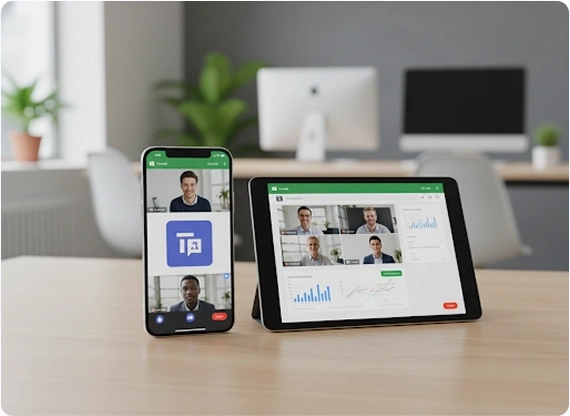
As hybrid and remote work become standard, organisations need calling solutions that move seamlessly between mobile networks and collaboration platforms. Traditional mobile and desk phone setups often create fragmented experiences and operational complexity.
Pentagram delivers Teams Phone Mobile by integrating mobile numbers directly into Microsoft Teams, allowing users to make and receive business calls through Teams or the native mobile dialer. This creates a single, consistent calling experience without compromising call quality, reliability, or enterprise control.
Businesses need simplified calling and we bring you exactly that - directly into Microsoft Teams. We support flexible, mobile and seamless collaboration between workforces by unifying mobile numbers, Teams calling and device access into a single experience.
Core capabilities include:
Use a single number across mobile phones, desk phones, and the Teams app.
Route calls over mobile networks or internet connectivity to maintain quality and availability.
Escalate calls into Teams meetings, screen sharing, or group collaboration without disruption.
Access call logs and voicemails from Teams or mobile devices.
Apply Microsoft voice policies and compliance controls to mobile-originated calls.
Pentagram helps organisations transition to Teams Phone Mobile in a controlled and operationally aligned way. By integrating mobile calling directly into existing Microsoft environments, businesses can reduce reliance on legacy telephony while maintaining visibility and governance.
We ensure Teams Phone Mobile is configured to align with user roles, security policies, and organisational requirements. This approach simplifies voice management, supports hybrid working, and delivers a consistent calling experience across devices and locations.
Encrypted voice traffic with controlled routing across devices and networks.
Ensure calls present organisational identities rather than personal numbers.
Support logging, monitoring, and policy enforcement via Microsoft 365.
Our Team Phone Mobile includes built-in controls that are designed to protect voice communications while supporting your organisation's security and regulatory requirements.
We extend Microsoft's enterprise-grade security framework to ensure business communication remains compliant regardless of where the calls are made from.
Beyond core calling, Teams Phone Mobile supports broader communication and management requirements.
Connect voice services with Microsoft 365 applications and workflows.
Manage users, numbers, and call activity from a central platform.
Support mobile, remote, and in-office teams with consistent calling experiences.
Apply Microsoft security and policy controls across voice services.
Work with Pentagram to deploy Teams Phone Mobile and deliver unified calling across devices, networks, and locations.
Contact us