

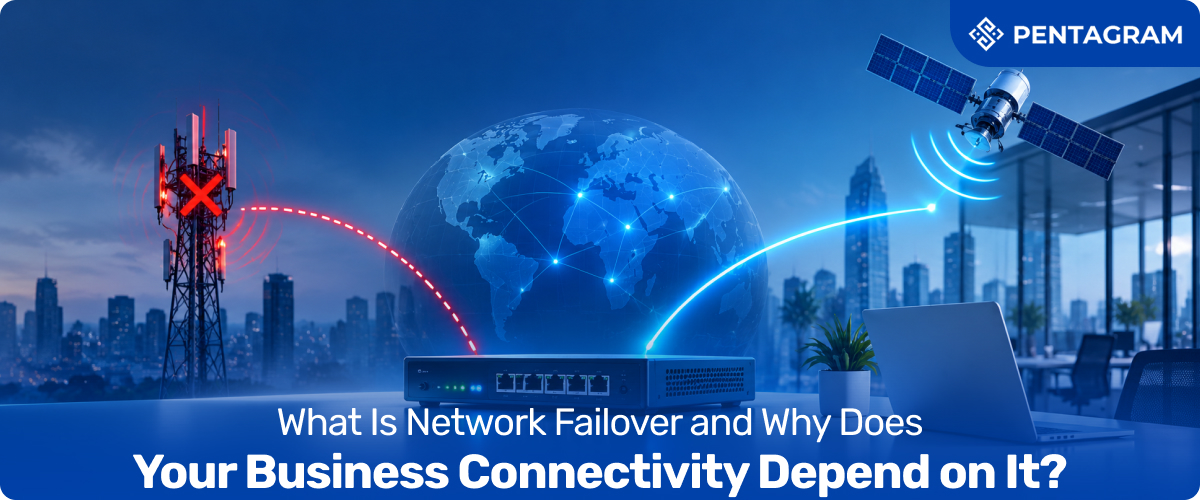
It’s 3.40pm on a Friday. The card terminals freeze, the VoIP phones go quiet and the cloud tools your team lives in stop loading. Nobody touched anything, and your provider’s status page just says “investigating”. For a company that runs on business connectivity, that’s the moment you find out whether you have a plan or only a contract.
That plan has a name: network failover. In short, it’s a second route to the internet that takes over automatically when the first one fails, so a dropped line becomes a blip instead of an outage. Recent UK research suggests it deserves serious attention, because most decision-makers already know what an hour offline would do to them.
In this guide we’ll explain what network failover is, how internet failover really works, where it quietly goes wrong, and how to choose a set-up that fits your sites. Read on and you’ll finish with a practical checklist, a few myths busted, and a clearer view of what your own internet connectivity is resting on.
What Is Network Failover, exactly?
Think of network failover as a satellite navigation system for your data. The moment the road ahead closes, it reroutes you without asking, and when the road reopens it quietly takes you back. In technical terms, failover is the process of detecting that a primary connection has failed and switching to a standby one automatically, with no manual step.
For most UK businesses, the primary link is business broadband, usually fibre, and the standby is a mobile connection over 4G or 5G. The aim isn’t to replace your main line. It’s to make sure your internet connectivity doesn’t depend on one cable, one cabinet or one provider having a good day.
How Internet Failover Actually Works: Detect, Switch, Return
Behind the scenes, internet failover is a three-step routine, and the first step is the one people overlook.
- Detect: A failover router keeps checking the main connection, and not just whether the cable is plugged in. Good ones test whether traffic can genuinely reach the internet, because a line can show a healthy light while going nowhere.
- Switch: When the check fails, traffic moves to the backup path, usually within seconds. Your devices stay on the same network, so nobody has to change a setting or hunt for a hotspot.
- Return: When the main line recovers, traffic moves back, which is called failback. Sensible set-ups wait until the line has been stable for a while, so a flaky connection doesn’t bounce everyone back and forth.
The whole thing should feel boring. If your team notices a failover happening, it hasn’t quite worked.
Failover vs Backup vs Redundancy: What’s the Difference?
These terms get swapped around in sales brochures, which is how businesses end up buying the wrong thing. Here’s the short version.
Term What it means Switches automatically?
| Term | What it means | Switches automatically? |
| Redundancy | Spare resources exist, such as a second line or router | No, not on its own |
| Network failover | Detects the failure and moves traffic to the spare | Yes |
| Internet backup solutions | The wider idea of any second route, from a hotspot to a second fixed line | Not necessarily |
| Load balancing | Both connections carry traffic all the time | Yes, continuously |
| Disaster recovery | Restoring systems and data after a major incident | No, it’s a recovery plan |
Spare equipment that nobody switches on in time is just expensive scenery. Failover is the piece that turns redundancy into protection, and it sits inside your wider business continuity planning. Failover keeps you online, while disaster recovery gets you back on your feet after something bigger.
The Real Cost of a Dropped Connection
Downtime rarely arrives as one dramatic event. Research from ISP Beaming found UK businesses lost an average of around 19 hours a year to connectivity problems, spread across lots of small incidents. The bill adds up all the same. In a September 2026 survey of 401 UK connectivity decision-makers, 36% said their last significant fault cost at least £5,000, and 65% said a single hour offline in the working day would cause significant disruption or worse.
The timing makes this more pressing. With the PSTN switch-off set for 31 January 2027, more voice, alarm and card payment traffic is moving onto IP. The same broadband line now carries things it never used to, so one failure can silence phones and tills together. That’s why failover has moved from nice-to-have to a core part of business continuity. If you want the causes and wider impact, our internet outage guide covers them in detail.
Business Internet Failover Options: Which One Fits Your Site?
There’s no single right answer for business internet failover, but the main routes look like this:
- 4G/5G cellular failover: The most common choice. A mobile connection runs on physically separate infrastructure, so a cut cable can’t take out both paths. Routers with multi-carrier SIM support add another layer of resilience. Our 5G vs 4G guide helps with picking the right generation.
- A second fixed line: Familiar and often faster, but it can be expensive and may share the same weak points as the first, such as the same duct or exchange.
- Dual-WAN or SD-WAN multi-link: Combines several connections and steers traffic between them, which suits multi-site businesses.
- Satellite: Worth considering where there’s no decent mobile signal, though it costs more.
The principle that matters is diversity, not duplication. Two wired services can still share local infrastructure, so two cables from the same exchange are one risk, not two. It’s one of the single points of failure we flagged in our business connectivity mistakes article.
What to Put on the Backup Line (and What to Leave Off)
Here’s a take most guides skip: your backup doesn’t need to carry everything. A mobile link usually has less capacity and a data allowance, so the smart move is to decide in advance what matters. Start by listing the applications that must stay online, then check how heavily each is used at your busiest time.
For most offices that means card payments, VoIP calls, cloud apps and email. Software updates, large backups and streaming can wait. Good failover routers let you set rules that apply only while you’re on the backup, blocking non-essential traffic. A 4G connection typically offers around 20 to 50 Mbps, which is comfortably enough for voice, payments and cloud tools. Pooling data across sites also helps you avoid nasty overage charges.
Where Failover Fails: Power, Coverage and the Test Nobody Runs
A backup you’ve never tested is a hope, not a plan. Four things trip people up.
- Power: Wireless backup won’t help in a power cut unless the router and related equipment stay powered. A small battery backup for the comms cupboard is cheap insurance.
- Coverage: The backup is only as good as the 4G or 5G signal at your premises. Check the signal where the router actually sits, not just the postcode.
- Silent misconfiguration: Failover that never triggers because it monitors the wrong thing looks fine on the dashboard until the day you need it.
- Never testing: Retail teams often run quarterly pull-the-plug tests at each store, confirming payment terminals still process transactions over the backup. Do it out of hours, tick off phones, tills and remote access, then plug back in and confirm failback works.
Choosing Network Failover Solutions: Seven Questions to Ask
When you compare network failover solutions, these questions separate a proper set-up from a router with a SIM slot added as an afterthought:
- How does it detect failure: link status only, or real reachability checks?
- How quickly does it switch, and is anything manual?
- Does the SIM roam across several networks, or depend on one carrier’s coverage?
- Can you set backup-only traffic rules?
- How is data pooled and capped across sites?
- Will you get an alert when a failover triggers, so someone chases the main line?
- Who answers the phone at 3.40pm on a Friday?
The best business connectivity solutions treat failover as part of the design from day one, not an add-on after the first outage.
How Pentagram Systems Builds Failover Into Business Connectivity
This is the thinking behind Pentagram Systems. Rather than selling a single line and hoping for the best, Pentagram brings business broadband, mobile connectivity, IoT, voice, cloud and IT together on one managed platform, with a single point of contact for provisioning, billing and 24/7 technical support. For failover, that means you can build a second, independent path around the main one.
- Business broadband and routers designed for continuity, with multi-network access for remote and distributed sites
- Mobile connectivity on EE’s nationwide 4G and 5G network, ready as the backup path
- Business phone systems with failover options, so calls keep flowing
- One platform, one contact, instead of three suppliers each blaming another
The Bottom Line on Network Failover
Network failover isn’t glamorous. Done well, nobody notices it, which is exactly the point. It turns a single point of failure into a brief wobble, protects your business continuity, and makes a cut cable somewhere down the road somebody else’s headache. The recipe is simple: choose a genuinely different backup path, decide what runs on it, and test it before you need it. Treat failover as a core part of your business connectivity rather than an optional extra, and the next Friday afternoon outage will be a footnote instead of a story.
Not sure how exposed your sites are? Talk to Pentagram Systems about a connectivity review, and find out where one failed line could stop your business and what a properly tested failover path would take. Get in touch →
FAQs
1. How fast does network failover switch over?
Usually within seconds. An automatic set-up detects the failure and reroutes traffic without anyone stepping in, whereas manual failover takes as long as it takes someone to notice.
2. Is 4G enough for a business internet backup, or do I need 5G?
For most sites, 4G is enough to keep calls, payments and cloud tools running. 5G helps where coverage is strong and the backup has to carry heavier loads.
3. Does failover work during a power cut?
Only if the router and backup equipment stay powered. A small battery backup can bridge short outages and keep the failover path alive.

Leave a Reply