Posts By :

Pentagram Team

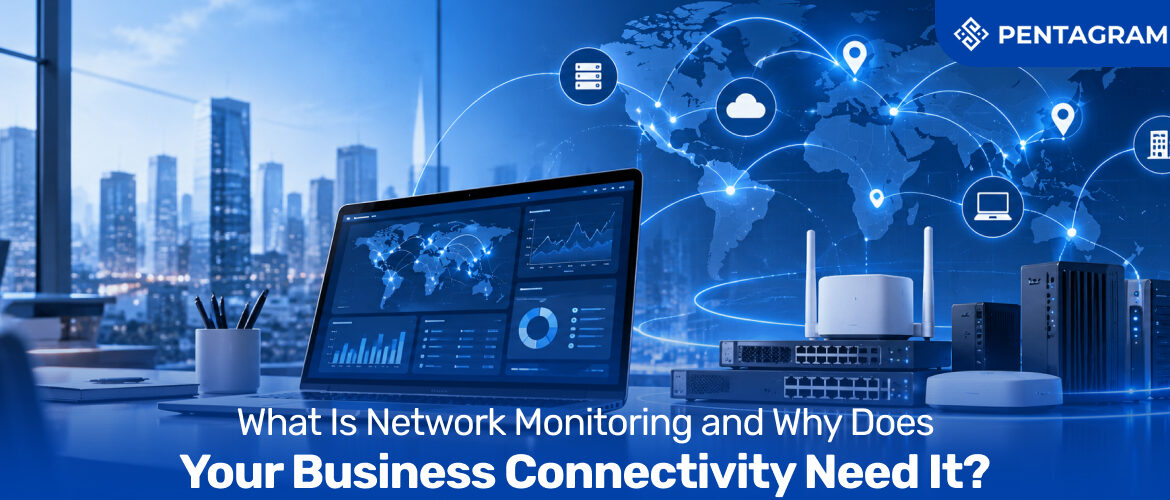
What is Network Monitoring
What Is Network Monitoring and Why Does Your Business Connectivity Need It? 1024 427 Pentagram Team

What Is Network Monitoring and Why Does Your Business Connectivity Need It?

Nobody rang to say the internet was down. It wasn’t. It was just slow enough that video calls kept freezing, the card machine took twice as long to approve a payment, and the backup line that should have been standing by had quietly died back in March. Nothing was dramatic, so nothing got fixed. That’s how most problems with business connectivity look: not a blackout, but a slow leak you only notice on an invoice or in a customer complaint.

Network monitoring is how you hear about the leak first. It’s the practice of continuously watching the health, speed, and availability of your connections, devices and traffic, and alerting the right person before a small fault becomes an expensive one. And it isn’t only for IT teams: if you run broadband lines, mobile SIMs or connected devices in the field, it applies to you.

This guide explains what network monitoring is, how it works, what the different tools and set-ups really do, and where most of them leave blind spots. Read on for a practical checklist for choosing the right approach, and what to ask for before the next outage finds you first.

What Is Network Monitoring and Why Does It Matter to Your Business?

Think of network monitoring as a fitness tracker for your business connectivity. It doesn’t make the network stronger by itself, but it tells you when something’s off: a line that’s slower than last week, a router running hot, a device that stopped checking in. In technical terms, it means continuously tracking the performance, availability, and security of network devices, traffic, and infrastructure.

For a modern business, the picture is wider than the cables and switches inside the office. It includes the internet connectivity you buy from your provider, the routers and firewalls at each site, the SIMs in your team’s phones, and the connected devices reporting back from vans, shops and warehouses. If it carries your data, it belongs in the picture.

The point is simple: shift from reacting to problems to catching them early.

How Network Monitoring Works: From Data Collection to Alerting

Under the hood, monitoring uses a few techniques, and most set-ups combine them.

  • Polling. The system regularly asks each device for its status, such as processor load, memory, and traffic counts, usually through a standard protocol called SNMP.
  • Active probing. It sends test traffic across the network and measures what comes back: whether a destination is reachable, how long the round trip takes, and how many packets are lost. It’s the closest thing to seeing your network the way a customer does.
  • Traffic analysis. It looks at who is using the bandwidth and for what, which explains why a link suddenly fills up at 3 pm.

Those readings feed dashboards for real-time data monitoring, and thresholds trigger alerts when something drifts outside normal. That brings us to the quiet hero of the whole process: the baseline. Good tools learn what normal looks like over time, so deviations stand out. Without a baseline, “slow” is just an opinion.

Network Monitoring Tools, Software and Solutions: How They Differ

These terms get used interchangeably, which is how buyers end up comparing apples with oranges. Network monitoring tools are the individual instruments, like a ping check or a bandwidth graph. Network monitoring software is the platform that collects the readings, displays them, and sends alerts. Network monitoring solutions go a step further and wrap service around the software: set-up, support, reporting and, ideally, someone to act on the alerts.

Type of monitoringWhat it watchesThe question it answers
AvailabilityWhether a line, device, or service is up“Is it down, or is it just me?”
PerformanceSpeed, delay, and packet loss“Why do video calls keep freezing?”
TrafficWho is using the bandwidth“What’s eating the link at 3 pm?”
Device healthStatus of routers, switches and firewalls“Is that router about to fail?”
Usage and costData, calls and roaming on SIMs and mobile plans“Why is the bill £800 higher this month?”

The last row is the one most guides leave out, and for any business with a sizable mobile estate, it’s often where the money leaks.

The Benefits of Network Monitoring for Business: Uptime, Cost and Control

The benefits of network monitoring for business come down to time, money and confidence:

  • Faster fixes: Real-time alerts, network maps and performance data make troubleshooting quicker and cut downtime. Knowing where the fault sits ends the finger-pointing.
  • Fewer surprises: You spot a failing link, an exhausted data pool or a dead backup before staff or customers do.
  • Better security: Unusual traffic patterns, unknown devices and unexpected behaviour show up quickly.
  • Smarter spending: Usage data exposes idle lines, oversized plans and overspend, and helps make sure what you’ve paid for is actually being used.
  • Evidence when it counts: Historical data shows how equipment has performed over time, which helps justify upgrades, satisfy audits, and win disputes with a provider.

Together they’re the difference between a business that runs its connectivity and one that merely pays for it.

Real-Time Data Monitoring and Historical Analysis: Why Both Matter

Real-time data monitoring is for the moment something goes wrong: live status, live alerts, someone reacting within minutes. Historical data is for everything else. It’s how you spot that Tuesdays are always busiest, that a site is outgrowing its line, or that a shared data pool runs dry every month-end.

Real-time tells you what’s on fire. Trends tell you which building keeps catching fire. Live dashboards alone keep you busy but never wiser, and reports alone arrive after the damage.

Enterprise Network Monitoring: What Changes at Scale

Running one office and monitoring can be a handful of checks. Running twenty sites, a few hundred mobile users, and a growing fleet of connected devices, enterprise network monitoring becomes a different problem. At scale, three things matter:

  • A consolidated view across broadband, mobile and IoT, so nobody checks four portals to answer one question
  • Dependency mapping, showing which business services rely on which components, so an alert is judged by what it actually affects
  • Smart alerting, because noise is now the main risk

In a February 2026 survey of 1,039 IT operations professionals, 44% said their organisation had suffered an outage in the previous year linked to a suppressed or ignored alert, and 57% said fewer than 30% of their alerts were actually actionable. Worse, 78% had experienced at least one incident where no alert fired at all. The lesson isn’t “monitor more”. It’s “alert on fewer things, but the right ones.”

Where Monitoring Strategies Fall Short: Four Common Blind Spots

The line you don’t own. Monitoring inside your building can’t see faults on your provider’s side. Tests that measure from the outside tell you whether customers can reach you.

  • The backup that quietly died. A failover line nobody monitors is a hope, not a plan. Monitoring is what proves your backup works before you need it.
  • The mobile estate. Staff SIMs, roaming, and shared data pools sit outside most IT dashboards, so overspend and dead SIMs go unnoticed until the bill arrives.
  • Devices that go quiet. An IoT sensor that stops reporting looks fine on most dashboards, because nothing is shouting that it’s wrong.

Choosing Network Monitoring Solutions: Questions to Ask Before You Commit

When you compare network monitoring tools and software, start with how your business connectivity is used, not the feature list. A company running on cloud platforms, customer portals or live communications needs proactive monitoring with automated alerts and fast fault detection. Then ask:

  1. Does it cover only the office network, or also your internet connectivity, mobile SIMs and IoT devices?
  2. Can it show real-time status and historical trends in one place?
  3. Are alerts customisable, so thresholds fit your business?
  4. Will the reports stand up as evidence in a service dispute or an audit?
  5. Who acts on an alert at 3 am, you or your provider?

Good network monitoring solutions answer all of these without needing a specialist to read the dashboard.

How Pentagram Systems Delivers Connectivity Visibility for Business

Pentagram Systems doesn’t replace the tool your IT team uses to watch the switches in your server room. It covers the layer most of those tools miss: the business connectivity you buy, from fixed lines to mobile solutions and every SIM in your estate, managed on one centralised platform.

  • SIM Estate Management lets you monitor all company SIMs from one platform, track data, calls and messaging in real time to prevent overspend, and control who can manage or access them
  • Mobile solutions across the UK’s leading networks, with visibility of data, roaming and device behaviour, shared data pools and a centralised dashboard
  • IoT SIMs and eSIMs with real-time monitoring and alerts from multiple devices in one portal, plus remote management and over-the-air updates
  • Business broadband and routers for single- and multi-site operations, managed alongside your mobile and IoT estate

The result is one partner, one platform and a clear view of what your connectivity is doing and costing.

Network Monitoring as Part of Your Business Connectivity Strategy

Network monitoring isn’t about staring at dashboards. It’s about knowing, before anyone else does, when your connections, SIMs, or devices stop behaving. The recipe is real-time data monitoring for the moment, trends for planning, and alerts few enough to be believed. Get that right and business connectivity stops being a monthly bill you hope is correct and becomes something you can see, question and improve.

Want to see what your connectivity is really doing? Talk to Pentagram Systems about a connectivity review, and find out where a clearer view of your lines, SIMs and devices could save you money and downtime. Get in touch →

FAQs

1. What is the difference between network monitoring and network security monitoring?

Network monitoring tracks performance and availability, such as speed, uptime and device health. Security monitoring focuses on threats like unauthorised access and data breaches. They overlap, because a performance anomaly can be the first sign of an attack.

2. Do small businesses need network monitoring software?

If downtime or overspend would hurt, yes. A small firm with a few sites and a mobile estate often has the most to gain, because nobody is watching full time. Start with availability checks and usage alerts rather than a full enterprise platform.

3. What should network monitoring tools track?

Bandwidth use, delay (latency), packet loss, and device health are the core measures. Add availability and, if you run mobile or IoT estates, data usage per SIM.

4. Can you monitor mobile SIMs and IoT devices like a wired network?

Not with the same tools. SIMs and connected devices are watched through a connectivity management portal that shows usage, status, and alerts for each SIM, rather than through traditional network equipment monitoring. Pentagram Systems’ SIM Estate Management portal does exactly this for company SIMs.

What Is Network Failover
What Is Network Failover and Why Does Your Business Connectivity Depend on It? 1024 427 Pentagram Team

What Is Network Failover and Why Does Your Business Connectivity Depend on It?

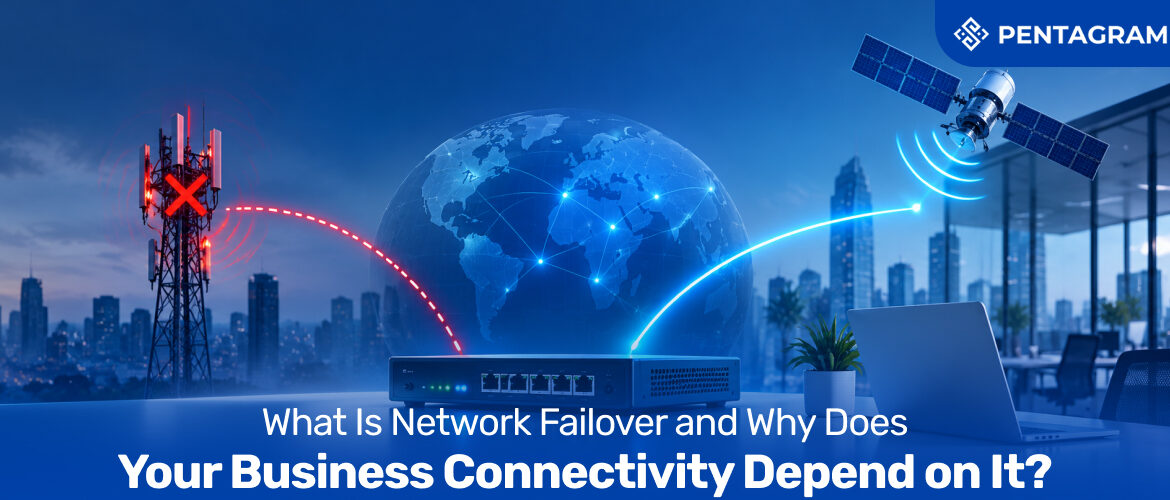
It’s 3.40pm on a Friday. The card terminals freeze, the VoIP phones go quiet and the cloud tools your team lives in stop loading. Nobody touched anything, and your provider’s status page just says “investigating”. For a company that runs on business connectivity, that’s the moment you find out whether you have a plan or only a contract.

That plan has a name: network failover. In short, it’s a second route to the internet that takes over automatically when the first one fails, so a dropped line becomes a blip instead of an outage. Recent UK research suggests it deserves serious attention, because most decision-makers already know what an hour offline would do to them.

In this guide we’ll explain what network failover is, how internet failover really works, where it quietly goes wrong, and how to choose a set-up that fits your sites. Read on and you’ll finish with a practical checklist, a few myths busted, and a clearer view of what your own internet connectivity is resting on.

What Is Network Failover, exactly?

Think of network failover as a satellite navigation system for your data. The moment the road ahead closes, it reroutes you without asking, and when the road reopens it quietly takes you back. In technical terms, failover is the process of detecting that a primary connection has failed and switching to a standby one automatically, with no manual step.

For most UK businesses, the primary link is business broadband, usually fibre, and the standby is a mobile connection over 4G or 5G. The aim isn’t to replace your main line. It’s to make sure your internet connectivity doesn’t depend on one cable, one cabinet or one provider having a good day.

How Internet Failover Actually Works: Detect, Switch, Return

Behind the scenes, internet failover is a three-step routine, and the first step is the one people overlook.

  • Detect: A failover router keeps checking the main connection, and not just whether the cable is plugged in. Good ones test whether traffic can genuinely reach the internet, because a line can show a healthy light while going nowhere.
  • Switch: When the check fails, traffic moves to the backup path, usually within seconds. Your devices stay on the same network, so nobody has to change a setting or hunt for a hotspot.
  • Return: When the main line recovers, traffic moves back, which is called failback. Sensible set-ups wait until the line has been stable for a while, so a flaky connection doesn’t bounce everyone back and forth.

The whole thing should feel boring. If your team notices a failover happening, it hasn’t quite worked.

Failover vs Backup vs Redundancy: What’s the Difference?

These terms get swapped around in sales brochures, which is how businesses end up buying the wrong thing. Here’s the short version.

Term What it means Switches automatically?

TermWhat it meansSwitches automatically?
RedundancySpare resources exist, such as a second line or routerNo, not on its own
Network failoverDetects the failure and moves traffic to the spareYes
Internet backup solutionsThe wider idea of any second route, from a hotspot to a second fixed lineNot necessarily
Load balancingBoth connections carry traffic all the timeYes, continuously
Disaster recoveryRestoring systems and data after a major incidentNo, it’s a recovery plan

Spare equipment that nobody switches on in time is just expensive scenery. Failover is the piece that turns redundancy into protection, and it sits inside your wider business continuity planning. Failover keeps you online, while disaster recovery gets you back on your feet after something bigger.

The Real Cost of a Dropped Connection

Downtime rarely arrives as one dramatic event. Research from ISP Beaming found UK businesses lost an average of around 19 hours a year to connectivity problems, spread across lots of small incidents. The bill adds up all the same. In a September 2026 survey of 401 UK connectivity decision-makers, 36% said their last significant fault cost at least £5,000, and 65% said a single hour offline in the working day would cause significant disruption or worse.

The timing makes this more pressing. With the PSTN switch-off set for 31 January 2027, more voice, alarm and card payment traffic is moving onto IP. The same broadband line now carries things it never used to, so one failure can silence phones and tills together. That’s why failover has moved from nice-to-have to a core part of business continuity. If you want the causes and wider impact, our internet outage guide covers them in detail.

Business Internet Failover Options: Which One Fits Your Site?

There’s no single right answer for business internet failover, but the main routes look like this:

  • 4G/5G cellular failover: The most common choice. A mobile connection runs on physically separate infrastructure, so a cut cable can’t take out both paths. Routers with multi-carrier SIM support add another layer of resilience. Our 5G vs 4G guide helps with picking the right generation.
  • A second fixed line: Familiar and often faster, but it can be expensive and may share the same weak points as the first, such as the same duct or exchange.
  • Dual-WAN or SD-WAN multi-link: Combines several connections and steers traffic between them, which suits multi-site businesses.
  • Satellite: Worth considering where there’s no decent mobile signal, though it costs more.

The principle that matters is diversity, not duplication. Two wired services can still share local infrastructure, so two cables from the same exchange are one risk, not two. It’s one of the single points of failure we flagged in our business connectivity mistakes article.

What to Put on the Backup Line (and What to Leave Off)

Here’s a take most guides skip: your backup doesn’t need to carry everything. A mobile link usually has less capacity and a data allowance, so the smart move is to decide in advance what matters. Start by listing the applications that must stay online, then check how heavily each is used at your busiest time.

For most offices that means card payments, VoIP calls, cloud apps and email. Software updates, large backups and streaming can wait. Good failover routers let you set rules that apply only while you’re on the backup, blocking non-essential traffic. A 4G connection typically offers around 20 to 50 Mbps, which is comfortably enough for voice, payments and cloud tools. Pooling data across sites also helps you avoid nasty overage charges.

Where Failover Fails: Power, Coverage and the Test Nobody Runs

A backup you’ve never tested is a hope, not a plan. Four things trip people up.

  • Power: Wireless backup won’t help in a power cut unless the router and related equipment stay powered. A small battery backup for the comms cupboard is cheap insurance.
  • Coverage: The backup is only as good as the 4G or 5G signal at your premises. Check the signal where the router actually sits, not just the postcode.
  • Silent misconfiguration: Failover that never triggers because it monitors the wrong thing looks fine on the dashboard until the day you need it.
  • Never testing: Retail teams often run quarterly pull-the-plug tests at each store, confirming payment terminals still process transactions over the backup. Do it out of hours, tick off phones, tills and remote access, then plug back in and confirm failback works.

Choosing Network Failover Solutions: Seven Questions to Ask

When you compare network failover solutions, these questions separate a proper set-up from a router with a SIM slot added as an afterthought:

  • How does it detect failure: link status only, or real reachability checks?
  • How quickly does it switch, and is anything manual?
  • Does the SIM roam across several networks, or depend on one carrier’s coverage?
  • Can you set backup-only traffic rules?
  • How is data pooled and capped across sites?
  • Will you get an alert when a failover triggers, so someone chases the main line?
  • Who answers the phone at 3.40pm on a Friday?

The best business connectivity solutions treat failover as part of the design from day one, not an add-on after the first outage.

How Pentagram Systems Builds Failover Into Business Connectivity

This is the thinking behind Pentagram Systems. Rather than selling a single line and hoping for the best, Pentagram brings business broadband, mobile connectivity, IoT, voice, cloud and IT together on one managed platform, with a single point of contact for provisioning, billing and 24/7 technical support. For failover, that means you can build a second, independent path around the main one.

  • Business broadband and routers designed for continuity, with multi-network access for remote and distributed sites
  • Mobile connectivity on EE’s nationwide 4G and 5G network, ready as the backup path
  • Business phone systems with failover options, so calls keep flowing
  • One platform, one contact, instead of three suppliers each blaming another

The Bottom Line on Network Failover

Network failover isn’t glamorous. Done well, nobody notices it, which is exactly the point. It turns a single point of failure into a brief wobble, protects your business continuity, and makes a cut cable somewhere down the road somebody else’s headache. The recipe is simple: choose a genuinely different backup path, decide what runs on it, and test it before you need it. Treat failover as a core part of your business connectivity rather than an optional extra, and the next Friday afternoon outage will be a footnote instead of a story.

Not sure how exposed your sites are? Talk to Pentagram Systems about a connectivity review, and find out where one failed line could stop your business and what a properly tested failover path would take. Get in touch →

FAQs

1. How fast does network failover switch over?

Usually within seconds. An automatic set-up detects the failure and reroutes traffic without anyone stepping in, whereas manual failover takes as long as it takes someone to notice.

2. Is 4G enough for a business internet backup, or do I need 5G?

For most sites, 4G is enough to keep calls, payments and cloud tools running. 5G helps where coverage is strong and the backup has to carry heavier loads.

3. Does failover work during a power cut?

Only if the router and backup equipment stay powered. A small battery backup can bridge short outages and keep the failover path alive.

What Are IoT Devices
What Are IoT Devices, Really? A Practical Breakdown for Businesses 1024 427 Pentagram Team

What Are IoT Devices, Really? A Practical Breakdown for Businesses

If you recap your day, you will realise that you pass through a plethora of IoT devices without noticing. This can be anything from the badge reader on the door to the temperature sensor in the server room to the smart meter quietly logging usage in the plant room; IoT devices encompass our enterprise ecosystems.

That’s the practical answer to the question: what are IoT devices? The literal definition they hold is that they are physical hardware, fitted with sensors or actuators, that connects to a network and exchanges data without requiring a person to operate it at each step.

This has naturally revolutionised businesses; and this has since stopped being an IT curiosity but an infrastructure decision instead. Every device added to an operation also needs a reliable network, a management plan, and a security posture. This article covers what IoT devices are, how they work, where businesses are already deploying them, and what a connectivity strategy needs to get right to keep them running.

What Is the Internet of Things, and How Do IoT Devices Fit In?

In the broadest sense, the Internet of Things is the cumulative term for a collection of physical objects now embedded with sensors, software, and network connectivity, whose primary objective remains to manage the to-and-fro of data from centralised systems.

  • IoT devices are the individual hardware components that make this network real; a single device on its own does very little.
  • A smart meter sitting unconnected on a shelf tells nobody anything. It’s only once it has internet connectivity, a route to transmit readings, and a system to interpret them that it becomes useful.
  • This is the layer most businesses underestimate when deploying IoT devices: the hardware is often the easy part. The internet connectivity underneath it, reliable enough to carry every reading without gaps, is where most of the real engineering work sits.

How Do IoT Devices Work?

Every IoT device, regardless of size or industry, runs through broadly the same process to turn a physical event into a useful action.

  • Sense: A sensor measures something in the physical world – such as temperature, vibration, location, occupancy, or power draw.
  • Process: An onboard processor and firmware interpret the raw reading locally, deciding what’s worth transmitting and what can be filtered out before it ever leaves the device.
  • Transmit: A connectivity module sends the processed data over a network, whether that’s Wi-Fi, Bluetooth, a low-power wide-area network, or cellular IoT connectivity.
  • Act: The receiving system is often cloud-based, and it works by analysing the data and either flags it for a person or triggers an automated response.
  • Repeat continuously: Unlike a traditional device that performs one fixed task when switched on, an IoT device keeps this sense-process-transmit-act loop running indefinitely, which is what allows real-time monitoring rather than a single snapshot.

This loop also explains why not every IoT device needs the same type of connection:

  • A fixed sensor in a warehouse with mains power can transmit constantly over Wi-Fi.
  • A GPS tracker on a delivery pallet moving across the country cannot rely on Wi-Fi at all and instead needs internet connectivity that follows it, typically cellular, rather than waiting for it to come home.
  • A battery-powered sensor in a remote location may only transmit a handful of times a day to conserve power, which changes how quickly a business can realistically expect to be alerted to a problem.

The Basic Anatomy of an IoT Device

The “how it works” loop above is made possible by a consistent set of physical components:

  • Sensors and actuators: This is what makes it an IoT device in the first place. Sensors measure the physical world; actuators act on it.
  • A processor and firmware: They interpret data locally before transmission.
  • A connectivity module: The device’s link to the outside world and the component that determines where it can physically be deployed.
  • A power source: From mains electricity through to a multi-year battery, shaping how often the device can realistically transmit.

Key Categories of IoT Devices Businesses Actually Use

The sheer range of Internet of Things devices can make the category feel vague, so it helps to group them by where and how businesses deploy them.

  • Consumer and smart office devices: Smart thermostats, connected speakers, security cameras, badges and access-control systems. Usually sit inside the building management layer, controlling heating, lighting, and access without a facilities team manually adjusting each one.
  • Industrial and manufacturing devices: Condition-monitoring sensors on motors and pumps, vibration and temperature probes on production lines, connected PLCs and gateways. These support predictive maintenance and reduce unplanned downtime. The conditions, however, require them to tolerate heat, dust, and vibration that consumer-grade connectivity was never designed for.
  • Logistics, fleet, and asset-tracking devices: GPS trackers, vehicle telematics units, and connected scanners. Among the most common IoT device examples in transport, and by definition mobile, which makes roaming capability and multi-network coverage essential rather than optional.
  • Retail and point-of-sale devices: Smart shelf sensors, connected payment terminals, and electronic shelf labels. Give retailers real-time visibility into stock levels and transactions without manual stocktaking.
  • Healthcare and remote monitoring devices: Connected medical equipment, remote patient-monitoring wearables, and asset-tracked hospital equipment.
  • Utilities and smart metering devices: Smart water, gas, and electricity meters, environmental monitoring stations.

Benefits and Challenges of IoT Devices

IoT devices create real business value, but that value comes with trade-offs worth weighing before a rollout, not after.

Benefits:

  • Real-time visibility: Here, the decision is on what’s actually happening right now, with reports on a real-time basis being perceived and acted upon.
  • Predictive maintenance: The highly efficient condition-monitoring sensors flag equipment issues before they cause expensive, unplanned downtime.
  • Lower operating costs: It involves automated meter reading, stock monitoring, and fleet tracking. This part of the process is quintessential for the reduction of manual labour previously needed to collect the same information.
  • Faster, data-backed decisions: This process is how continuous data replaces guesswork, from staffing a store around footfall to routing a delivery fleet around live traffic.

Challenges:

  • Security exposure: Every connected device is a potential entry point into the wider network, and the malicious elements know this. The IoT hardware thus is frequently targeted precisely because it’s assumed to be low-risk, along with the highest reward.
  • Connectivity reliability: A device that silently drops offline is more dangerous than no device at all, since it creates false confidence that something is being monitored; however, in reality the situation is out of control.
  • Scale complexity: Some major issues arise when the system that is manageable at ten devices becomes overstimulated when connected to a thousand devices without centralised oversight.
  • Interoperability: Devices from different manufacturers often use different protocols, which can leave a business juggling several disconnected systems instead of one, which can only be mitigated through a centralised protocol.

Why IoT for Business Depends on the Connection, Not Just the Device

It’s tempting to treat IoT device examples as a hardware shopping list: buy the sensors, install them, and the data appears. In practice, the device is rarely the point of failure. The connection underneath it is.

  • A sensor that cannot reliably transmit its readings is worse than no sensor at all, because it creates a false sense of visibility. A business assumes something is being monitored when, in reality, the data has been silently dropping for weeks.
  • This is precisely why IoT for business has become a connectivity decision as much as a hardware one.
  • Deploying a hundred devices across ten sites is not a hundred small projects. It’s one connectivity problem, repeated at scale, and it needs to be treated that way from the outset.
  • A device estate spread across multiple sites, or moving between them, needs IoT connectivity solutions that offer multi-network coverage, so a device isn’t dependent on a single carrier’s signal strength at a single location.
  • It needs centralised management, so IT teams aren’t logging into ten separate portals to check whether sensors across ten sites are even online.

What Good IoT Connectivity Solutions Actually Need to Do

Businesses evaluating IoT solutions tend to focus first on the device and only later on the network, which is the wrong order. A few things worth establishing before a single sensor goes into production:

  • Multi-network coverage: A device tied to one mobile network is only as reliable as that network’s coverage at that exact location. Multi-network SIMs and eSIMs connect to whichever signal is strongest, which matters enormously for anything mobile or deployed across multiple regions.
  • Centralised SIM and device management: At ten devices, a spreadsheet works. At a thousand, it doesn’t. A single platform to activate, monitor, suspend, and reassign connectivity across an entire device estate is the difference between IT managing the estate and the estate managing IT.
  • Remote provisioning: New sites and new devices shouldn’t mean waiting days for physical SIMs to arrive. Devices should be activatable remotely the moment they’re installed.
  • Security built in from the start: Every connected device is a potential entry point. Secure authentication, encrypted data in transit, and visibility into unusual device behaviour need to be part of the connectivity layer, not an afterthought bolted on once something has already gone wrong.
  • Room to scale: A pilot of twenty devices should be built on the same connectivity foundation as the eventual rollout of two thousand, not rebuilt from scratch once the pilot proves itself.

IoT Devices and Connectivity Solutions, Brought Together by Pentagram Systems

Everything above points to the same conclusion. IoT devices are genuinely straightforward to buy and install. What determines whether a deployment actually works and keeps working is the connectivity strategy sitting underneath it, and that’s far easier to get wrong than the hardware ever is.

  • Pentagram Systems provides IoT SIMs and eSIMs designed specifically for businesses connecting smart devices at scale, built around global and multi-network coverage so devices stay connected across the UK, Europe, and worldwide rather than depending on a single operator’s reach.
  • Its Global IoT Connectivity platform supports multi-network SIMs and eSIMs with centralised management, giving businesses uninterrupted performance for devices, vehicles, and sensors wherever they’re deployed.
  • SIM Estate Management brings every connected device onto a single platform for monitoring, remote provisioning, and security, so an estate of IoT devices never becomes a collection of unmanaged, invisible risk.
  • Whether the requirement is a handful of sensors in one warehouse or a device estate spread across multiple countries, Pentagram Systems builds IoT connectivity solutions around the deployment, rather than offering one fixed package and asking the business to fit around it.

If your business is deploying IoT devices, or already has them, and isn’t entirely confident the connectivity underneath them would hold up under real-world conditions, that’s worth a conversation before it becomes a problem rather than after.

Talk to Pentagram Systems about IoT connectivity built around your device estate.

Speak to a connectivity specialist →

Conclusion

So, what are IoT devices, in the end? They’re the sensors, trackers, terminals, and connected hardware quietly running in the background of almost every modern business, turning the physical world into data a business can actually act on. Individually, they’re simple. At scale, across sites, countries, and device types, they become a genuine connectivity and management challenge, and one that’s far easier to get right from the start than to fix after a thousand devices are already in the field.

Businesses that treat IoT devices as a connectivity strategy, not just a hardware purchase, are the ones getting real value out of them. The rest are often sitting on an expensive collection of sensors they can only partially trust.

FAQs

1. What are IoT devices, in simple terms?

Physical hardware fitted with sensors or actuators that connects to a network and exchanges data automatically, without someone operating it manually. Examples range from a smart thermostat to a GPS tracker on a delivery vehicle.

2. How do IoT devices actually work?

The IoT application process is simple. The sensor measures something in the physical world, a processor decides what’s worth transmitting, a connectivity module sends it over a network, and a receiving system flags it or triggers an automated action.

3. What internet connectivity do IoT devices need?

It depends on the device. A fixed, mains-powered sensor can run on Wi-Fi. A mobile device, such as a tracker or telematics unit, needs cellular IoT connectivity that follows it, ideally via a multi-network SIM not tied to one carrier’s coverage. Getting this choice wrong is one of the most common reasons deployments underperform.

Internet Outage
Internet Outage: Causes, Business Impact & How to Stay Connected 1024 427 Pentagram Team

Internet Outage: Causes, Business Impact & How to Stay Connected

Every business has a version of the same devastating story. The card machine stops authorising halfway through a Saturday lunch rush. A finance team loses access to the accounting platform on the last day of the month. A support desk watches its phone system drop mid-call with a customer who was already unhappy. Nobody planned for it, nobody caused it, and for the next forty minutes nobody can do very much about it.

The problem is that an internet outage rarely announces itself. It arrives as a series of small failures that only make sense once someone checks the router, and by then the cost has already begun to accumulate. What makes internet downtime genuinely expensive is not the technical fault itself. It is that almost everything a modern business does now depends on a single connection remaining operational: payments, phones, cloud applications, stock systems, remote staff, security cameras, and even the door entry system in some buildings.

This article looks at what actually causes an internet outage, what it costs when one hits, and what practical business connectivity solutions exist to make sure the next fault becomes an inconvenience rather than a lost trading day.

What Causes an Internet Outage?

Outages are usually blamed on the provider, but the real picture is more distributed than that. Understanding where failures originate matters, because it determines which of them you can realistically protect against.

Physical infrastructure damage

The most common cause is also the least sophisticated. Fibre cuts from roadworks, construction sites, storm damage and accidental cable strikes take out connections regularly, and they are entirely outside your control. If a contractor puts a digger through a duct two streets away, your service level agreement does not make the cable reappear any faster.

Power failures

Power remains one of the largest single contributors to network incidents, accounting for a substantial share of reported outages in recent industry analysis. A local power cut takes down your router, your switches, your access points and your phones simultaneously. Even where a building has backup power, the exchange or cabinet serving it may not.

Faults further up the stack

Something interesting has shifted in recent years. As facility-level reliability has improved, failures have migrated upward into the internet’s logical layers: DNS resolution, BGP routing and CDN edges. Uptime Institute research has tracked a steady decline in data-centre outage frequency and severity for several consecutive years, while detection of internet-topology outages has climbed.

Configuration error and human factors

Analysis of decades of outage data consistently identifies human error as a contributing factor in a large majority of incidents. A firmware update applied at the wrong time, a misconfigured firewall rule, an expired certificate, and a DNS record changed by someone who no longer works there. These are not dramatic failures, but they produce identical results.

Cyber incidents

Ransomware, DDoS attacks and compromised endpoints now sit alongside software and hardware faults as leading causes of business downtime, with recent surveys placing cybersecurity issues close behind software failure as a trigger for unplanned outages.

Capacity and contention

Not every internet outage is a total blackout. A connection that has quietly been outgrown behaves like an outage during peak periods: video calls stutter, card terminals time out, and file transfers stall. The line is technically up. Operationally, it is not.

The Real Business Impact of Internet Downtime

The financial case for resilience is stronger than most businesses assume, largely because the costs are spread across categories that rarely appear on the same report.

Direct revenue loss

If customers cannot pay, they leave. For a retailer, restaurant or clinic, this is immediate and unrecoverable. Telecoms analysis in 2026 put typical direct revenue loss for small and mid-sized retail and hospitality sites in the region of £1,000 to £3,000 per hour during a full outage, with timing mattering enormously.

Payroll that keeps running

Staff continue to be paid whether or not the systems they need are available. A fifteen-person professional services firm losing an hour of productive work is absorbing several hundred pounds in wages for output that never happened, before any client impact is counted.

Recovery time, not just outage time

This is the cost most businesses underestimate. Median duration for a significant outage sits around 53 minutes according to Uptime Institute survey data, but that median conceals a long tail, with a meaningful share of incidents running beyond four hours. And the outage ending is not the same as normal service resuming. Backlogged orders, re-queued transactions, rescheduled appointments and unanswered messages all have to be worked through afterwards.

Network Failover: How Businesses Actually Stay Connected

Network failover is best achieved with the practice of running a secondary connection alongside your primary one, with equipment that detects failure and reroutes traffic automatically.

How it works in practice

A dual-WAN router continuously checks whether your primary line is still passing traffic, typically by testing for a response from a point further out on the network. When those checks fail for a defined period, the router treats the line as down and switches everything across to the backup path.

Why business mobile broadband is the practical backup

The most sensible internet backup for most sites is a mobile one. A 4G or 5G connection uses entirely separate infrastructure from your fixed line, which is exactly the point. A fibre cut in the street has no effect on a mast. Business mobile broadband delivers genuine path diversity rather than a second connection that fails for the same reason as the first, which is the common flaw in running two fixed lines from the same exchange.

What backup internet for business should be protecting

Not every system needs to run at full speed during a fault. The value of a properly configured failover setup lies in prioritising what genuinely cannot stop:

  • Card payments and POS. Usually the fastest route to a measurable return on the whole arrangement.
  • Hosted voice and VoIP. Modern 4G and 5G connections with correctly configured quality of service handle business calling without difficulty.
  • Cloud applications. Microsoft 365, CRM, accounting and scheduling platforms are unusable offline for most teams.
  • IoT, CCTV and remote sensors. Devices keep reporting through a fixed-line fault rather than going dark.
  • Site-to-site VPN access. Worth checking in advance, as IP allow-listing can break during failover unless a static IP is arranged on the backup.

Outage-Proof Business Connectivity with Pentagram Systems

Everything above leads to the same uncomfortable conclusion. An internet outage is not an unusual event, it is a scheduled certainty with an unknown date, and almost none of its causes are things a business can prevent. A digger in the street, a power cut at the exchange, a routing fault thousands of miles away: the list of things outside your control is considerably longer than the list inside it.

Path diversity chosen around your sites, not around a contract

Two fixed lines sharing a duct are not redundancy; they are the same risk purchased twice. Pentagram Systems provisions business mobile broadband across all four major UK networks, and through its BT Wholesale partnership offers Complete Mobile on EE, independently ranked as the UK’s best network for over twelve consecutive years.

One partner, one point of accountability

The worst moment to discover that your broadband provider, mobile provider and IT support each consider a fault to be one of the others’ responsibility is while a customer is standing at the till with a card in their hand. Pentagram brings business broadband, mobile, IoT, voice and cloud together under a single managed platform, with one point of contact for provisioning, billing and 24/7 technical support. When a primary circuit fails, one team sees the failover event, keeps your payments and phones running on the backup path, and works the fault to resolution. There is no triage phase spent establishing whose problem it is.

Business connectivity solutions that scale across sites

For multi-site organisations, this is the difference between a resilience strategy and a collection of separate broadband contracts whose gaps only become visible under pressure. Network failover, mobile estate management, IoT connectivity and voice provisioned through one platform mean new locations inherit the same protection by default, rather than each site becoming its own small project with its own quiet vulnerabilities.

Find out what the first hour would actually cost you

Most businesses have never calculated their exposure. They know an internet outage is bad. They have not worked out what an hour of internet downtime costs in lost transactions, idle payroll and the backlog that has to be cleared afterwards, which is precisely why the internet backup arrangement that would have prevented it never quite reaches the top of the list.

It is a short conversation, and the numbers tend to be clarifying.

Talk to Pentagram Systems about a connectivity resilience review. We will map your critical systems, identify where a single fault would take your operation offline, and design a failover setup sized around what genuinely cannot stop. No obligation, and no assumption that you need more than you do.

FAQs

1. How long does a typical internet outage last?

Survey data from Uptime Institute puts the median duration of a significant outage at around 53 minutes, though a notable share of incidents run well beyond four hours. Physical damage such as a fibre cut generally takes the longest, because repair depends on locating and physically fixing the cable rather than resetting equipment. This is the main argument for failover: you cannot shorten the repair, but you can stop it from mattering.

2. Will 4G or 5G failover actually be fast enough to run my business?

For the systems that matter most during an outage, yes. Card payments, hosted voice, email and most cloud applications run comfortably over a modern mobile connection with quality of service configured correctly. What failover is not designed for is sustaining every workload at full primary-line speed indefinitely. The right approach is to size the backup around your critical systems and accept that bulk file transfers can wait.

3. Do I need to replace my existing broadband or leased line to add failover?

No. A failover router is installed in parallel with your current primary connection and monitors it. Your existing line, contract and configuration stay as they are. This is one reason internet backup is usually straightforward to add to an established site.

5G vs 4G for Business
5G vs 4G for Business: Does Your Company Really Need 5G? 1024 427 Pentagram Team

5G vs 4G for Business: Does Your Company Really Need 5G?

Every mobile contract renewal these days seems to come with the same pitch: switch to 5G, get faster speeds, future-proof your business. The 5G vs 4G decision sounds simple on the surface, but for most businesses it isn’t really about which technology is newer; instead, it’s about whether the upgrade actually changes anything for how the company operates day to day, or whether it’s just a bigger number on a brochure.

Plenty of businesses have switched to 5G expecting a transformation and found their day-to-day experience barely changed, simply because their usage never came close to needing what 5G actually offers. Others are quietly held back by 4G without realising it, watching video calls stutter or cloud tools lag during peak hours, and assuming that’s simply how mobile connectivity works.

This article breaks down what genuinely separates 5G from 4G for a business, where the upgrade pays for itself, and where it’s a cost you can reasonably delay. By the end, you’ll have a clear, honest answer to the 4 G versus 5 G question for your specific business, not just a sales pitch dressed up as a technology explainer.

5G vs 4G: What’s Actually Different, Beyond the Marketing

Every generation of mobile network has been sold as revolutionary, and 5G is no exception. But the difference between 4G and 5G is more than a speed bump; it changes what’s technically possible over a mobile connection, not just how fast an existing task completes.
5G builds on that same foundation but adds three things 4G was never designed to deliver at scale:

  • Dramatically higher bandwidth
  • Much lower latency
  • The capacity to support far more connected devices on the same network without everything slowing down

The Difference Between 4G and 5G, in Numbers That Actually Matter

Most comparisons lead with top theoretical speeds, which sound impressive but rarely reflect real-world business use. Here’s a more practical breakdown of the difference between 4G and 5G in the metrics that actually affect a working business:

Metric4G5G
Typical real-world speed20–100 Mbps100–900 Mbps (varies significantly by location)
Theoretical peak speedUp to 1 GbpsUp to 10+ Gbps
Latency30–50 millisecondsAs low as 1–10 milliseconds
Device density per cellModerateSignificantly higher
Best suited forStandard browsing, calls, cloud tools, mobile POSVideo-heavy work, large file transfers, IoT fleets, real-time applications

How Much Faster Is 5G Than 4G in Practice?

On paper, 5G can be roughly ten times faster than 4G at peak theoretical speeds.

  • Everyday tasks (email, video calls, cloud-based apps): the difference between a strong 4G connection and 5G is often barely noticeable
  • Tasks that genuinely stress a connection- transferring large files, running multiple simultaneous video calls from one location, or supporting dozens of connected devices from a single site are where the gap becomes obvious

That’s where the 5 G vs 4g speed gap stops being theoretical and starts being felt.

Is 5G Better Than 4G for Every Business? Not Necessarily

This is the honest answer most providers won’t give you upfront: whether 5G is better than 4G depends entirely on what a business actually does with its connection, not on which technology is objectively newer.

  • A small consultancy with a handful of staff using email, video calls, and standard cloud tools is unlikely to notice a meaningful difference switching from a strong 4G connection to 5G
  • A logistics company running dozens of connected tracking devices tells a different story
  • A retailer running real-time inventory systems across multiple tills falls into the same category
  • A business relying on heavy video conferencing across several sites is a different story entirely too

For these last three, 5G business internet isn’t a luxury upgrade; it’s solving a genuine bottleneck.

Where 5G Business Internet Actually Pays for Itself

A few scenarios consistently show a real, measurable return on switching:

  • High device density sites, like warehouses or retail floors running dozens of connected terminals, sensors, or POS systems on one network
  • Video-heavy remote work, where multiple staff run simultaneous calls from the same location without competing for bandwidth
  • Temporary or pop-up locations, where 5G can be deployed as fast, reliable primary connectivity without waiting for a fixed line installation
  • Failover and backup connectivity, where 5G’s higher throughput makes it a genuinely capable backup rather than a slow fallback
  • IoT-heavy operations, where the number of connected devices would strain a standard 4G setup

Where 4G Still Makes Sense, And Why That’s Not a Bad Thing

  • Low-intensity usage: if your team’s usage is mostly email, calls, and standard browsing, a solid 4G connection with reliable coverage will likely serve the business perfectly well for the foreseeable future
  • Coverage gaps: 5G coverage still varies significantly by location, particularly outside major towns and cities, meaning a business in a lower-coverage area may see little practical benefit despite paying a premium for it
  • Cost timing: 5G-capable hardware and plans have historically carried a premium over equivalent 4G options, and for businesses without a clear operational bottleneck, that premium buys very little beyond peace of mind
  • No urgency to move early: waiting until coverage matures further, or until a genuine usage need emerges, is a perfectly reasonable strategy rather than a sign of falling behind

The 5 G and 4G difference that actually matters isn’t which one is newer; it’s whether your current connection is genuinely limiting how your business operates. If it isn’t, there’s no urgency to switch simply because 5G exists.

What Happens to Your Existing 4G Hardware If You Switch?

  • Most modern smartphones are already dual-mode, meaning they support both 4G and 5G and need no hardware change at all, only a compatible plan.
  • Routers and gateways for fixed 5G connections are the main hardware cost, and these can often be phased in site by site rather than purchased all at once.
  • Existing SIMs are frequently swappable without a full contract renegotiation, particularly when a provider manages both 4G and 5G under the same account.

Mobile Connectivity for Business: The Questions That Matter More Than the “G”

Chasing the newest network generation can distract from the questions that actually determine whether a switch is worth it. Before comparing 4 G vs 5G speed on a spec sheet, it’s worth asking:

  • Would the business benefit more from better mobile connectivity, more reliable business broadband, or a combination of both?
  • Is the switch being driven by an actual operational need, or by a contract renewal conversation that happened to mention 5G?

Getting honest answers to these questions tends to matter more for a mobile connectivity for business decision than any spec comparison on its own.

How Pentagram Systems Helps You Choose (and Switch) With Confidence

This is exactly the conversation Pentagram Systems is built to have properly, rather than defaulting every customer towards the newest available technology. As one of the business broadband providers offering both 4G and 5G connectivity through its Complete Mobile service on the EE network, Pentagram assesses actual usage patterns, device counts, and site requirements before recommending a switch, not after signing a contract. For businesses genuinely weighing up 5G for business against staying on their current setup, that assessment-first approach is usually worth more than any spec sheet comparison.

  • Straight answers on whether 5G will make a measurable difference for your specific sites and usage, not a blanket upsell
  • Mixed 4G/5G deployments where it makes sense, rather than an all-or-nothing switch across every location
  • Business broadband and mobile connectivity managed under one platform, so a 5G decision doesn’t mean juggling yet another separate vendor

Bottom Line: Choose Based on Usage, Not Hype

The 5G vs 4G debate isn’t really about which network generation sounds more advanced; it’s about whether your business’s actual connectivity needs justify the switch, and for a meaningful number of businesses today, the honest answer is “not yet.” For others, particularly those running device-heavy sites or video-intensive operations, 5G solves a real, measurable problem.

Not sure which side of that line your business falls on? Get in touch with Pentagram Systems for an honest assessment of your current connectivity, and find out whether 5G would genuinely change anything for how your business operates or whether your budget is better spent elsewhere.

FAQs

1. What is the difference between 4G and 5G in simple terms?

4G provides reliable mobile broadband for everyday tasks like browsing, calls, and cloud apps. 5G adds significantly higher speeds, much lower latency, and the ability to support far more connected devices on the same network at once.

2. 4G versus 5G: is 5G available everywhere in the UK yet?

No. 5G coverage has expanded significantly but remains stronger in cities and major towns, with more limited availability in rural areas. Coverage should always be checked for your specific business locations before switching.

3. Does 5G cost significantly more than 4G for a business plan?

It can, though the gap has narrowed as 5G has become more widely available. The more relevant question is usually whether the performance difference justifies the cost for your specific usage, not the price difference alone.

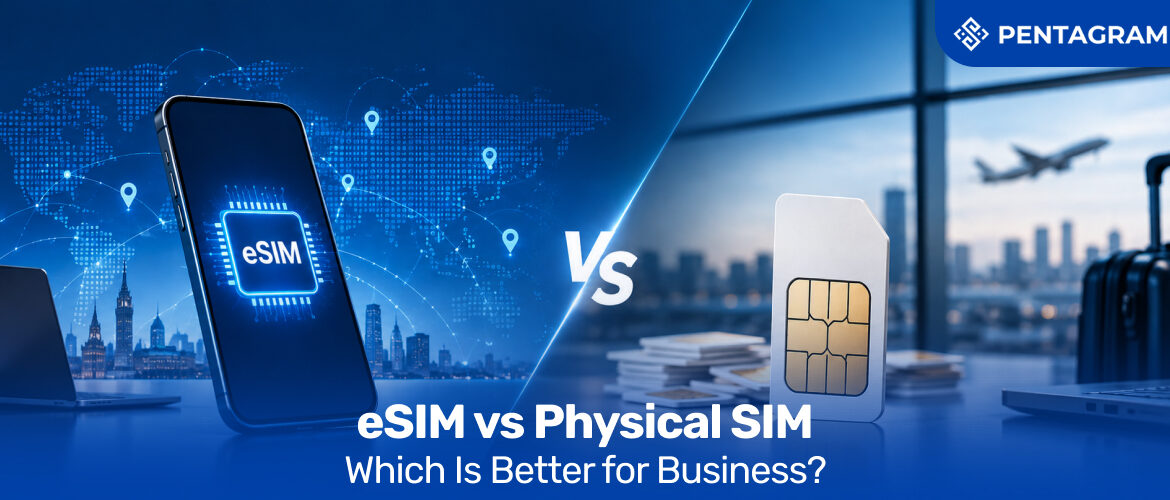
esim vs physical sim
eSIM vs Physical SIM: Which Is Better for Business? 1024 427 Pentagram Team

eSIM vs Physical SIM: Which Is Better for Business?

Every business that manages more than a handful of mobile devices eventually runs into the same question: eSIM vs physical SIM, and which one should the company actually be standardising on? It sounds like a small IT decision until you’re the one juggling SIM trays for forty field staff, replacing lost cards, or watching a new starter wait three days for a SIM to arrive by post. The physical SIM vs eSIM debate isn’t really about the plastic card itself; instead, it’s about how much friction and resistance a business is willing to tolerate every time a device needs to connect.

This comparison has become more urgent as more devices ship without a SIM tray at all, and as businesses expand into markets where physical logistics simply don’t scale. Whether the real question on your mind is “is eSIM better?” or “which is better, eSIM or physical SIM, this article works through the practical differences that actually matter with respect to a company’s scale.

By the end, you’ll have a clear, business-first answer to the eSIM versus SIM card question, grounded in what actually changes for procurement, security, and IT support and not just which one sounds more modern.

eSIM vs Physical SIM: The Core Difference Businesses Actually Feel

For a business, the real difference between the SIMs is in how connectivity gets deployed, managed, and changed once a device is already in someone’s hands.

  • Physical SIM: source a card, ship it, wait for arrival, then manually insert it before the device connects to anything
  • eSIM: provision the same device remotely in minutes, from anywhere, without anyone touching a card
  • The practical result: The shift from physical logistics to remote provisioning is why so many operations teams are now asking eSIM vs SIM card questions well before their hardware refresh cycle even comes up

How Does an eSIM Work, Exactly?

An eSIM is a small embedded chip, permanently built into a device, capable of storing multiple carrier profiles at once. Instead of inserting a new card to switch networks, the profile is downloaded and activated remotely, usually via an easily accessible QR code or a provisioning platform managed by IT.

For an individual, that just means switching plans without visiting a shop. For a business, it means an entire fleet of phones, tablets, or connected devices can be provisioned, reconfigured, or switched to a different network without anyone needing physical access to the hardware. This is exactly the part that matters for procurement and IT teams evaluating business eSIM options at scale.

There’s also a security dimension here as the profile lives on an embedded chip rather than a removable card, an eSIM can’t be physically extracted and inserted into another device the way a stolen physical SIM can.

Physical SIM vs eSIM: Weighing the Pros and Cons for Business Use

Neither format is universally better, as each comes with genuine trade-offs, and the right call depends on how efficiently the business actually operates.

FactorPhysical SIMeSIM
ProvisioningRequires sourcing, shipping, and manual insertionProvisioned remotely in minutes, anywhere
Device compatibilityWorks on virtually all devices, including older and budget hardwareLimited to newer devices that support eSIM
Fleet managementManaged device by device, card by cardCentralised across an entire fleet from one dashboard
Loss or theft riskCan be physically removed and reused elsewhereCan’t be extracted; deactivated instantly and remotely
Multiple profilesOne profile per physical cardMultiple carrier profiles on a single device
DependencyNo reliance on a provisioning platformRequires a provisioning platform or IT-managed process
Best suited forSimple, static, single-country setupsScaling, multi-country, or high-turnover fleets

Is eSIM Better Than Physical SIM? It Depends What You’re Optimising For

Asking “is eSIM better than physical SIM” without context is a bit like asking whether a van is better than a car; it depends entirely on who and how many you’re picking up.

If your business rarely changes devices, operates in a single country, and doesn’t need remote provisioning, a physical SIM setup may genuinely be simpler to manage today. But if your business is scaling, hiring remotely, deploying IoT devices, or expanding into new markets, the eSIM advantages compound quickly. Thus, asking “is eSIM better” is actually asking if fewer logistics headaches, faster onboarding, and optimised manual IT overhead per device are even beneficial.

eSIM vs SIM Card at Scale: What Changes When You’re Managing a Fleet

The comparison shifts noticeably once you move from a handful of devices to an entire fleet. Shipping delays, activation errors, and a support queue that grows every time someone’s card doesn’t work on arrival are frictions that eSIM lubes effortlessly:

  • Pre-provisioned before devices even leave the warehouse, rather than activated on arrival
  • Reconfigured remotely if an employee moves between offices or countries
  • Deactivated instantly if a device is lost or an employee leaves, leaving no card to retrieve and no risk of it being reused elsewhere

For IT teams managing anything beyond a small office, this is usually where the eSIM vs physical SIM decision stops being a debate and starts being a straightforward operational upgrade.

Where International eSIM Coverage Changes the Business Case Entirely

The clearest business argument for eSIM shows up the moment a company operates across borders. Traditional roaming agreements and market-specific physical SIMs get expensive and slow to manage in a global setup.

An international eSIM setup lets a business assign local-equivalent connectivity to staff or devices in multiple countries without physically distributing anything. Moreover, for companies with field teams, logistics fleets, or offices spread across regions, this alone is often the deciding factor in the SIM vs eSIM conversation, not merely for convenience, but for genuinely lower and more predictable connectivity costs.

The Sustainability Angle Most eSIM Comparisons Never Mention

The Environmental footprint cost of the SIM rarely comes up in the usual eSIM vs physical SIM breakdown:

  • No plastic card production in eSIMs is better than physical SIMs that involve plastic. These include PVC carriers and punch-out trays that eSIM eliminates entirely
  • No individual packaging or courier shipping per device, per employee, per replacement
  • Fewer emissions from logistics, since remote provisioning removes the transport step altogether

Multiplied across a fleet of hundreds or thousands of devices over several years, it becomes a genuine, quantifiable reduction, making it worth including in a business eSIM procurement case alongside the operational and cost arguments.

How Pentagram Systems Delivers eSIM for Business

This is exactly the gap Pentagram Systems is built to close. Rather than leaving businesses to weigh eSIM versus SIM card decisions device by device, Pentagram provides a managed eSIM for business offering that handles provisioning, connectivity, and support as one coordinated service

  • Remote provisioning for new starters and replacement devices without shipping delays
  • Centralised management across an entire device fleet from a single platform
  • International eSIM coverage for businesses operating across multiple countries, without the cost unpredictability of standard roaming
  • One managed relationship, not another vendor that eSIM deployment sits alongside Pentagram’s broader connectivity stack, including business broadband, IoT connectivity, and cloud services

Transcend SIMs with eSIMs

Stripped of the technical framing, the eSIM vs physical SIM decision is really a question about how much manual logistics your business wants to carry as it grows. Physical SIMs still have a place for simple, static setups, but for businesses scaling headcount, expanding across borders, or managing more connected devices every year, eSIM consistently removes friction that physical logistics simply can’t.

Ready to see which setup actually fits your business? Get in touch with Pentagram Systems to talk through your current device fleet and how a managed eSIM approach could simplify connectivity across your whole organisation.

FAQS

1. SIM vs eSIM: can a business use both at the same time?

Yes. Many businesses run a mixed fleet during transition periods, using eSIM for newer devices and physical SIMs for older hardware that doesn’t support eSIM, before consolidating fully once older devices are retired.

2. Is switching from physical SIM to eSIM complicated for an existing fleet?

Not usually, provided devices support eSIM. Most transitions are handled gradually, with new devices provisioned on eSIM by default and older devices migrated as they’re replaced or refreshed.

3. Does eSIM versus SIM card make a difference for data security?

Yes, to a meaningful degree. Since eSIMs can’t be physically removed or swapped, they reduce the risk of SIM theft and certain types of SIM-swap fraud that specifically target physical cards.

7 Costly Business Connectivity Mistakes Most Companies Still Make
7 Costly Business Connectivity Mistakes Most Companies Still Make 1024 427 Pentagram Team

7 Costly Business Connectivity Mistakes Most Companies Still Make

Most businesses don’t notice a connectivity problem until it’s already cost them something, a missed call, a stalled transaction, a client meeting that dropped halfway through. Business connectivity rarely gets the scrutiny that other line items in a budget get, largely because it tends to “mostly work” right up until the moment it doesn’t.

This article walks through seven of the most common business connectivity mistakes companies make, why each one is more expensive than it looks, and what a better setup actually involves. Read on, because a couple of these mistakes are probably sitting quietly in your current contract right now.

Why Even Well-Planned Businesses Fall Into These Traps

It’s tempting to assume these mistakes only happen to businesses that haven’t thought about connectivity at all. In practice, however, the opposite is often true as most companies have done some planning and still end up with exactly the problems covered in this article. The scope of what needs planning for is:

  • Connectivity isn’t one discipline it’s several stitched together: telecom contracts, network engineering, cybersecurity, mobile provisioning, and increasingly IoT device management, all at once.
  • A generalist IT function is rarely built to track all of them simultaneously, even when it’s genuinely capable and well-resourced.
  • Providers have little incentive to flag what a business hasn’t noticed for itself, which manifests as an auto-renewal clause, a vague SLA, or an undersized connection, rarely announcing itself as it just sits there “working well enough” until it doesn’t.
  • The risk is distributed across too many moving parts for closing one gap to close the pattern behind it.

This is exactly the kind of fragmented problem a single accountable partner, one that owns broadband, mobile, IoT, and security under a single view is built to solve, which is where a business connectivity partner like Pentagram Systems becomes less of a convenience and more of a genuine necessity.

Mistake 1: Buying Bandwidth for Today, Not Tomorrow

The gap between most broadbands and the business needs they work on becomes expensive fast as headcount grows, cloud tools multiply, and video calls replace half the meetings that used to happen in person. A connection that felt generous when it was installed can quietly become the bottleneck holding an entire team back, long before anyone thinks to question the broadband itself.

  • Symptoms: Slow file transfers, laggy video calls and a network that “used to be fine”.
  • The real cost: The productivity loss compounds daily, but rarely gets tracked as a single line item.
  • The fix: Ensure to review bandwidth needs against actual usage patterns at least once a year, not just when something breaks.

Mistake 2: Running on a Single Point of Failure

A huge number of businesses still rely on one connection, from one provider, with no backup at all. When that line drops which it inevitably does, halting the entire operation along with itself, the realization sets in..

  • Symptoms: When total outages take precedence over graceful degradation; one fault takes down everything
  • The real cost: More than half of all IT outages are attributed to network failures, and each one halts operations completely rather than partially
  • The fix: To pair a primary connection with automatic failover, ideally over a different technology entirely, further, a fixed line backed by mobile, for instance, rather than two lines from the same exchange.

Mistake 3: Never Actually Reading the SLA

Service Level Agreements exist to define what happens when things go wrong, yet most businesses sign them without checking what they actually promise.

  • Symptoms: Having no clear idea of guaranteed uptime, response times, or compensation if service drops.
  • The real cost: Businesses lose money to outages and never claim anything back, simply because they didn’t know they could.
  • The fix: ask providers directly what the SLA guarantees, in writing, before signing anything.

Mistake 4: Treating Security as Someone Else’s Problem

Connectivity and security get budgeted separately far too often, as if a fast connection and a secure one are unrelated concerns. In reality, unmanaged traffic and weak network segmentation are exactly what allows one compromised device to put an entire business at risk.

  • Symptoms: No clear separation between guest, staff, and device traffic along with ad hoc firewall rules nobody fully understands
  • The real cost: A single breach can cost far more than years of underspending on infrastructure ever saved
  • The fix: Aim to build security into the network design itself through proper segmentation, monitoring, and firewall management, rather than casually layering it on as an afterthought.

Mistake 5: Juggling Too Many Providers at Once

It’s common for a growing business to end up with broadband from one supplier, mobile from another, and IoT connectivity from a third, each with its own invoice, its own support line, and its own excuse when something breaks.

  • Symptoms: Accumulation of multiple bills, multiple support numbers, but absence of anybody who can see the whole picture when there’s a fault.
  • The real cost: Results in wasted admin hours chasing three different companies for one problem, plus duplicated charges nobody’s cross-checked in years.
  • The fix: Taking a look at business connectivity solutions that consolidate broadband, mobile, and IoT under one managed platform and one point of contact.

Mistake 6: Sticking With a Legacy Contract Out of Inertia

Auto-renewal clauses are convenient for providers and quietly costly for everyone else. Many businesses are still paying legacy rates for infrastructure that’s been technically superseded, simply because renegotiating felt like more hassle than it was worth.

  • Symptoms: a contract nobody’s actively reviewed in years amounts to pricing that doesn’t reflect current market rates.
  • The real cost: businesses routinely overpay for years once locked into auto-renewing terms, citing convenience.
  • The fix: Mark the calendar for contract renewal dates well in advance and actively compare against current business broadband providers before renewing anything automatically.

Mistake 7: Ignoring Mobile and IoT Until They Become a Crisis

Fixed-line broadband gets most of the attention, while mobile connectivity and IoT devices including payment terminals, sensors and connected equipment, often get bolted on later with far less planning. There’s no universal answer to what counts as the best business broadband setup, because the right fit depends entirely on how a business actually operates

  • Symptoms: Mobile plans bought individually per employee and IoT devices connected through whatever SIM was easiest at the time.
  • The real cost: Provides inconsistent coverage, no centralised visibility, and a support process that varies device by device.
  • The fix: Treating mobile and IoT as part of the same connectivity strategy as fixed-line broadband, not a separate afterthought.

How Pentagram Systems Fixes These Problems at the Root

This is precisely where Pentagram Systems operates, and why so many of the mistakes above are solved simply by consolidating connectivity under one accountable partner. Pentagram brings together business broadband, mobile (through its Complete Mobile offering on the EE network), IoT connectivity, cloud, and voice services under a single managed platform with one point of contact for provisioning, billing, and 24/7 technical support.

  • Undersized connections that can’t keep pace with growth are avoided through regular usage reviews, so bandwidth gets scaled ahead of demand rather than after staff have already noticed it slowing down.
  • A single dropped line taking the whole business offline is addressed with built-in redundancy and automatic failover, so one fault doesn’t mean total downtime.
  • Vague SLAs nobody’s actually read are replaced with clear, written service commitments, agreed upfront rather than discovered during a dispute.
  • Security treated as a separate concern from connectivity is designed into the network from the outset, with proper segmentation and monitoring rather than bolted-on protection.
  • Multiple vendors, multiple invoices, and no single view of faults are consolidated into one managed platform and one support line, so nothing falls through the cracks between providers.
  • Contracts left on auto-renewal for years are kept in check through ongoing account reviews, so pricing and infrastructure stay aligned with what the business actually needs rather than what it signed up for years ago.
  • Mobile and IoT bolted on as an afterthought are planned as part of the same connectivity strategy as fixed-line broadband from day one, not sourced separately once a gap appears.

The Real ROI of Getting Connectivity Right

Every mistake on this list shares the same root cause that business connectivity gets treated as background infrastructure instead of the operational backbone it actually is. Ready to find out what your current setup might be quietly costing you? Get in touch with Pentagram Systems for a connectivity review, and see exactly where consolidating broadband, mobile, and IoT under one platform could save your business real money.

Frequently Asked Questions

1. How do I know if my business is overpaying for connectivity?

Ans:Compare your current contract’s pricing and included features against current market offers from other business broadband providers. If you haven’t reviewed it in over two years, there’s a strong chance rates have moved and your setup hasn’t kept pace.

2. What’s the difference between business broadband and a consumer connection? Ans: Business broadband typically includes stronger

SLAs, prioritised support, and options like static IPs and failover that consumer packages don’t offer, reflecting the higher cost of downtime for a business.

3. Is it worth paying more for a provider with built-in redundancy?

In almost all cases, yes. The cost of a backup connection is typically far smaller than the cost of even a few hours of total downtime, particularly for businesses relying on cloud tools or live customer transactions.

What Is Enterprise Connectivity
What Is Enterprise Connectivity, and Why Does It Matter? 1024 427 Pentagram Team

What Is Enterprise Connectivity, and Why Does It Matter?

Every business, at some point, hits the moment when “the internet” stops being an office utility and becomes infrastructure. That’s the point where enterprise connectivity enters the conversation as the plumbing that enables multi-site teams, cloud platforms, and customer-facing systems to function without falling over. It covers the networks, broadband, mobile, and data links that let a business run as one coordinated system rather than a scattered collection of offices each fending for itself.

This article breaks down what enterprise connectivity actually involves, why it quietly determines how well a business scales, and what to look for when choosing a provider who can support that growth rather than get in its way. Stick with it, and you’ll walk away with a clearer sense of what’s worth paying for and what’s just noise.

What Enterprise Connectivity Actually Means

Strip away the marketing language, and enterprise connectivity is fairly straightforward: it’s the combined network infrastructure that lets a business operate reliably across multiple locations, devices, and systems at once. It typically includes:

  • Fixed-line and broadband connections across every business site
  • Mobile connectivity for staff, field teams, and backup failover
  • Cloud links connecting hosted platforms and remote systems
  • Enterprise networking hardware and architecture that ties all of it together

What separates this from a standard office setup isn’t the individual components; instead, it’s the stakes involved when any one of them fails. A dropped connection at home is an inconvenience, whereas a similar dysfunction across a retail chain’s point-of-sale network, or a logistics company’s fleet-tracking system, is lost revenue. Its redundancy and design intent separate it from business broadband. Enterprise-grade connectivity is built assuming things will occasionally go wrong, and thus it is architected to comply with any such mishap seamlessly.

Why This Matters More Than Most Businesses Realise

Connectivity tends to be invisible until it fails, and that’s exactly the problem. Businesses budget carefully for software, staff, and premises, but network infrastructure often gets treated as an afterthought, right up until something breaks. The cost of underinvesting shows up in a few predictable ways:

  • Missed deadlines and stalled workflows when systems go offline mid-task
  • Frustrated staff and clients dealing with dropped calls or slow tools
  • Lost transactions at sites where connectivity briefly fails
  • Slower adoption of new tools, since fragile connectivity limits what a business can safely run on top of it

On the flip side, businesses that treat connectivity as core infrastructure tend to move faster, as they amalgamate with the spirit of globalisation. It allows them to open new locations with less friction and recover from disruptions before customers even notice. As more operations move onto cloud platforms and connected devices, business connectivity effectively becomes the operating environment itself, not just the wiring behind it. It’s this shift in thinking that leads growing businesses toward providers like Pentagram Systems, who treat enterprise networking as foundational infrastructure.

Common Connectivity Challenges Facing Growing Businesses

Most businesses don’t set out to build fragmented connectivity; it unfortunately tends to happen gradually. A broadband contract gets signed for one office, mobile plans get added ad hoc as headcount grows, and a separate IoT vendor gets brought in when the warehouse needs sensors. A few years on, this disbanded instrumental structure for connection is typically dealing with the following:

  • Multiple disconnected vendor relationships, none of which talk to each other
  • No single view of where failure points actually sit across sites
  • Inconsistent security policy, since more devices and remote workers mean more potential entry points
  • Unpredictable costs, from usage spikes, add-on charges, and contract renewals that don’t align across providers

These problems simply arise when connectivity issues are dealt with in a reactive rather than a proactive manner. It’s exactly the pattern that eventually pushes businesses toward consolidating their business connectivity with one accountable partner, such as Pentagram Systems, rather than continuing to patch together separate vendors.

The Building Blocks Behind a Connected Enterprise

There’s no single product called “enterprise connectivity”; it’s a stack of several things working together. The components of this essential web of connectivity are as follows:

  • Enterprise networking: routers, switches, and architecture (increasingly SD-WAN based) that manage traffic across sites and prioritise time-sensitive systems like voice or point-of-sale
  • Fixed-line and business broadband: the raw bandwidth each site actually runs on
  • Mobile connectivity: covers field teams, pop-up locations, and backup failover when a fixed line drops
  • IoT connectivity: links sensors, payment terminals, and connected equipment into the same managed network rather than treating them separately
  • Redundancy and failover: if one connection fails, traffic automatically shifts to a secondary line without a technician needing to intervene first
  • Security architecture: consistent policy enforcement across every site and device type, rather than a different standard for each location

The real value from these can be optimally extracted when they’re integrated, monitored, and supported as a single system rather than several unrelated contracts, which is precisely the kind of enterprise networking design Pentagram Systems builds its own platform around.

What to Look for Among Business Broadband Providers

Not every provider marketed as “enterprise” actually operates at that level, and it’s worth knowing the difference before signing a contract. Before choosing, it’s worth asking a prospective provider:

  • What happens when a primary line drops? Is the failover automatic, or does someone need to notice and escalate manually, indicating the need for a dedicated team?
  • How is support structured? A dedicated point of contact, or a general queue shared with every residential customer?
  • Can they demonstrate proven scale? A provider suited to five sites might not hold up once that business expands to fifty across multiple regions
  • Is billing and provisioning consolidated, or does growth mean managing more separate invoices and contracts over time?

The strongest business broadband providers are the ones who can answer these specifically, with real examples of supporting similar growth — not just promise that they can.

Enterprise Connectivity Solutions Built for Scale, Not Just Speed

It’s tempting to judge connectivity purely on speed, but speed without stability is a false economy. Ideally, this is the exact approach Pentagram Systems takes when designing a setup around a business’s actual footprint, not a generic package. The businesses getting real value from their connectivity are the ones prioritising solutions built around:

  • Consolidation: mobile, broadband, and IoT connectivity managed under a single platform, instead of multiple vendors, invoices, and support numbers
  • Proactive monitoring: fault detection that catches problems before they cascade into downtime
  • Consistent performance under load: stability across every site and device, not just a strong number on a spec sheet
  • Lean IT overhead: connectivity that scales without requiring IT headcount to scale at the same rate

Where Enterprise Connectivity Is Headed

The next few years are pushing enterprise connectivity further from static infrastructure and closer to something adaptive. A few shifts are worth watching:

  • 5G as genuine backup or primary connectivity, especially for sites where fixed-line installation is slow or costly
  • Hybrid setups blending fixed lines, mobile, and satellite for businesses that can’t afford a single point of failure
  • Convergence of IT and operational networks, as retail floors, warehouses, and vehicles get instrumented with connected devices, blurring the line between enterprise networking and day-to-day operations
  • Automated network management, shifting away from IT teams manually monitoring dozens of sites toward systems that detect and reroute around problems on their own

How Pentagram Systems Supports Enterprise-Grade Connectivity

This is precisely where Pentagram Systems operates. Rather than offering a single product and hoping it fits, Pentagram brings together the pieces most businesses end up managing separately, all under one platform:

  • Business connectivity across single- or multi-site operations
  • Mobile connectivity through its Complete Mobile offering on the EE network
  • IoT connectivity, including SIM estate management for connected devices
  • Cloud and voice services, integrated into the same managed setup
  • A single point of contact for provisioning, billing, and 24/7 technical support

For businesses juggling multiple sites, mixed device estates, or a growing footprint that’s starting to outpace a standard broadband contract, that consolidation removes a genuine operational headache. Further, Pentagram’s enterprise solutions are also built to scale alongside a business rather than requiring a full renegotiation every time it grows, which makes it cheaper and simultaneously highly adaptable.

Leveraging Longevity in Enterprise Connectivity

Enterprise connectivity isn’t a technical detail buried in an IT budget anymore. It’s the infrastructure that determines whether a business can actually operate at the scale it’s aiming for. Getting it right means thinking beyond raw speed, toward reliability, integration, and a provider who understands what growth actually demands.

Ready to see what that looks like for your business? Get in touch with Pentagram Systems today to talk through your current setup and how enterprise-grade connectivity, whether it be for mobile, broadband, or IoT, thrives under one roof. Pentagram provides solutions for the dissolution of every problem and friction slowing down your enterprise.

FAQs

Q: What is the difference between enterprise connectivity and standard business broadband?

Standard business broadband typically serves a single site with a single connection. Enterprise connectivity combines broadband, mobile, and networking infrastructure across multiple sites. It is built with redundancy so the business doesn’t stop functioning if one link fails.

Q: How much does enterprise connectivity typically cost?

Costs vary widely based on the number of sites, bandwidth requirements, and redundancy needs. Most providers price it as a managed package rather than a flat rate, so it’s worth comparing what’s included, i.e., support, failover, and monitoring, rather than the headline price alone.

Q: Can a growing business upgrade its connectivity without major disruption?

Yes, with the right provider. A well-structured enterprise setup is designed to scale incrementally while adding sites or bandwidth, without requiring a full system rebuild each time.

Q: Is enterprise connectivity only relevant for large corporations?

No. Any business operating across multiple locations, relying on cloud systems, or running time-sensitive operations can benefit from enterprise-grade reliability through connectivity, regardless of overall company size.

What Is an MVNO? A Straightforward Guide for UK Businesses
What Is an MVNO? A Straightforward Guide for UK Businesses 1024 427 Pentagram Team

What Is an MVNO? A Straightforward Guide for UK Businesses

If you’ve been comparing business mobile plans lately, you’ve probably run into the term without ever getting a clear answer to the obvious question: What is MVNO exactly, and why does it keep coming up? In plain terms, it’s a mobile provider that sells connectivity over someone else’s network instead of building its own towers, masts, and spectrum. That one distinction shapes almost everything else — pricing, flexibility, how fast a provider can adapt, and how much control you actually get over your own connectivity. This guide walks through how the model works, where it earns its keep for businesses, and what separates a provider worth trusting from one that’s simply reselling a SIM card. Keep reading, as the details below could save you a genuinely expensive mistake.

The Term Frequently Used But Rarely Explained

MVNO stands for mobile virtual network operator. Strip away the acronym and the idea is fairly simple: a company that offers mobile plans, SIMs, and network access without owning the physical infrastructure that carries the signal. Instead, it leases capacity from a mobile network operator (MNO) from one of the handful of companies that actually own masts, spectrum licences, and core network equipment and repackages that access under its own brand, pricing, and customer experience.

You’ll sometimes see this written the other way round, as a mobile network virtual operator, though it means the same thing. Either way, the business behind your SIM card doesn’t need to spend billions building physical infrastructure. It buys wholesale access and focuses on everything that sits on top of it: service design, billing, support, and the specific features a particular type of customer actually wants.

How the Model Works Behind the Scenes?

Picture a landlord-tenant relationship. The MNO owns the building — towers, spectrum, core network and a virtual mobile carrier rent space within it. The tenant sets its own rules for who gets access, at what price, and under what terms, while the landlord handles the physical upkeep in the background.

This arrangement is what lets an MVNO move faster than a traditional carrier. Launching a new tariff, targeting a niche industry, or bundling mobile with other services doesn’t require new infrastructure, just a commercial agreement and a platform to manage it. That agility is precisely why so many non-telecom brands, from retailers to fintechs, have entered the mobile space in the past few years without laying a single cable.

Not Every Virtual Operator Is Built the Same Way

Here’s where a lot of businesses get confused: there isn’t just one mobile virtual network operator type. The category covers a fairly wide spread of models, depending on how much of the value chain a provider actually controls.

A reseller MVNO sits closest to the host network, essentially rebranding an existing service with little independent infrastructure of its own. A full MVNO goes much further, running its own core network elements, issuing its own SIMs, and managing customer relationships directly, while still leaning on the host operator for radio access. In between sit hybrid and service-operator models, which pick and choose which pieces to build versus buy.

Why Businesses Are Switching to the MVNO Model

The appeal isn’t really about being cheaper for its own sake, though cost is often part of the conversation. Many businesses now compare MVNO mobile plans against traditional carrier contracts specifically because the virtual model tends to offer more tailored terms, which include pooled data across teams, simpler multi-site billing, and contracts that don’t lock a growing company into infrastructure it doesn’t need.

There’s also the practical matter of consolidation. Businesses juggling mobile, broadband, IoT connectivity, and cloud services from separate vendors end up with separate invoices, separate support lines, and separate points of failure. A well-run MVNO relationship, particularly one built for business customers rather than consumers, can fold several of those services into a single managed platform — one contact, one bill, one place to raise a fault.

Reliability matters just as much as price. A virtual operator built on a strong host network, with proper service-level commitments, can match the performance businesses expect from a major carrier while offering the flexibility that a carrier likely won’t.

Analysis of the Data Behind the Trend

This isn’t a niche shift. MVNOs accounted for roughly 19.7% of all UK mobile connections by the end of 2024, up from 14.9% just three years earlier, and analysts expect that share to keep climbing toward 30% by the early 2030s. UK MVNO customer numbers grew by close to 10% in a single recent year, and total UK MVNO service revenue is forecast to nearly double by 2031.

Growth like that doesn’t happen because businesses are chasing novelty. Instead, it happens because of MVNOs.

What Separates a Strong Provider From the Rest

If you’re trying to identify the best MVNOs for a business, rather than a personal phone contract, a few things consistently separate strong providers from weak ones.

  • Look at which host network sits behind the service, since that determines your actual coverage and speed.
  • Look at whether billing, provisioning, and support are handled by one team or scattered across several.
  • Finally, look at whether the provider genuinely understands business connectivity, multi-site rollouts, device management, and SLAs rather than treating enterprise customers as an afterthought to a consumer product.

A provider that can answer those questions confidently, with real infrastructure partnerships behind it, is worth far more than one offering the lowest price per gigabyte. It’s also worth checking how transparent a provider is about which network actually carries your data. Some virtual operators quietly hop between host networks to manage cost, which can mean coverage and call quality shift without much warning.

Pentagram Systems procures the best MVNOs

This is exactly the space Pentagram Systems operates in. Through a partnership with BT Wholesale, Pentagram gives UK businesses and channel partners access to the EE network, which has been independently ranked as the UK’s best mobile network for over 12 consecutive years under its Complete Mobile offering, without the complexity of dealing with a major carrier directly. That mobile layer sits alongside Pentagram’s existing broadband, IoT connectivity, voice, cloud, and IT services, all managed through a single platform with one point of contact. Provisioning, billing, and 24/7 technical support are handled in the background, so your team spends less time managing vendors and more time running the business. Whether you need dependable mobile plans for staff, IoT SIMs for connected equipment, or a connectivity partner who can scale with you across multiple sites, Pentagram brings it together under one roof.

Where Business Connectivity Is Headed

The lines between mobile, broadband, and IoT connectivity are blurring fast, and MVNOs are increasingly positioned at the centre of that shift. eSIM adoption is accelerating, multi-network platforms are becoming standard rather than a premium feature, and the same virtual-operator model that powers handset plans is now doing the heavy lifting behind connected vehicles, smart meters, and industrial sensors. For businesses, that convergence means the provider you choose for mobile today is increasingly the same one you’ll rely on for everything else that needs to stay connected.

Understanding what is MVNO isn’t just background knowledge anymore; now it’s practical context for a decision most UK businesses will face sooner or later. The model gives businesses more flexibility, more control, and often better value than a traditional carrier contract, provided you choose a partner who takes support and reliability as seriously as pricing. Get in touch with Pentagram Systems to talk through what your business actually needs from its connectivity and how Complete Mobile could fit into that picture.

FAQs

1. Does an MVNO offer the same network quality as a traditional provider?

An MVNO runs on the same masts and spectrum as the host operator, so coverage, call quality, and data speeds match what that network delivers directly. What differs between providers is the layer built on top of it, that is, the support response times, billing accuracy, and how quickly issues like a faulty SIM get resolved. That’s where the real evaluation should focus.

2. Will switching to an MVNO disrupt existing phone numbers or service continuity?

Switching providers doesn’t mean losing continuity. Numbers port across through a standard, regulated process, and an experienced provider will stagger the transition so service isn’t interrupted. The main factor to plan around is the current contract’s end date, since switching early can trigger early-termination charges.

3. Can a single MVNO provider manage both mobile plans and IoT connectivity?

In many cases, yes. Because the MVNO model is built around flexible, wholesale network access, the same provider can often issue SIMs and eSIMs for both staff mobile plans and connected devices such as sensors, trackers and industrial equipment, under one contract and one support line. This reduces the number of vendors a business needs to manage for connectivity overall.

How Iot in Retail Could Be Groundbreaking for Growth
How Iot in Retail Could Be Groundbreaking for Growth? 1024 427 Pentagram Team

How Iot in Retail Could Be Groundbreaking for Growth?

The essence of IoT in retail is inherent in these scenarios requiring order, surveillance, and accounting. This inventory distortion has over the years been the cause of loss of huge chunks of revenue for companies while simultaneously leaving them clueless regarding their own stocks. This compounds over time to become the difference between thriving stores and struggling ones. The layman method of using spreadsheets, manual accounting methods, and other traditional practices that have been previously prevalent has become essentially outdated.

The guesswork and hoping the books and shelves are managed properly somehow only serve to sow doubts within you about your exact stock and within the customers about whether or not to shop there. This comprehensive guide aims to explore how retail businesses are harnessing IoT to unlock unprecedented operational efficiency and how solutions like those offered by Pentagram Systems can accelerate your transformation journey.

A Revolutionary Real-Time Connection

If you are asking what is IoT, then the answer is pretty simple, IoT, or the Internet of Things, refers to the vast network of physical devices, sensors, and embedded systems with digital intelligence that are able to collect, transmit, and simultaneously analyze data across networks spanning a variety of areas and sectors. Its application is simple but its effects are wide-spanning as it turns shelves into intelligent entities that connect and communicate with the master system through the use of sensors, cameras, and payment terminals.

For example: A customer is looking for a size 10 in black, and the product sits three aisles away, but this is just mere speculation on your part. In this scenario your POS system says it’s in stock somewhere while the inventory sheet says otherwise, and this dilemma might result in the loss of an essential sale.

With IoT, however, the product could become theoretically sentient with a simple RFID tag on it, such that the moment someone picks it up, moves it, or leaves it on the wrong shelf the system makes it known.

Essential Features of IoT in Retail

Benefits of IoT in retail can span multiple features to a retail store spanning not only the product inventory but also analyzing customer behavior and insights into the shelving of inventory for optimized sales and customer satisfaction.

  • Real-time inventory updates: RFID tags and weight sensors on smart shelves track stock levels instantly to prevent empty shelves. RFID tags attached to products can be read from distance, enabling automatic inventory tracking without line-of-sight requirements. Weight sensors on shelves detect product removal in real-time. Temperature and humidity sensors monitor conditions in storage areas and during transport.
  • Optimized cashierless checkout: Connected point-of-sale systems and sensor fusion allow automatic billing as shoppers leave as the price of the system is embedded, which just culminates according to the quantity and the brand of the product.
  • Instant pricing updates: Electronic shelf labels change prices wirelessly across the store in real time, thus making the hassle of repricing the entire stock list redundant; instead, a simple click on the integrated software could result in a calibrated change of price or quantity.
  • Supply chain tracking: GPS and environmental sensors monitor goods from warehouses to store floors ensuring the quality of the product and the efficiency with which the product is handled.
  • Proximity marketing: Bluetooth beacons send tailored deals and product guides straight to a shopper’s phone, which is significantly better than mass targeting advertisement blasts, as these specific customers have a history of previously shopping and thus are more susceptible to buying again.
  • In-store behavior tracking: Customer insights are obtained through heat maps and foot traffic captured by highly sensitive and efficient sensors. They show how customers move through and use store spaces. This allows the store to design its infrastructure and stock its inventory in such a way that the most demanded products are highlighted and the most visited aisles are separated from the maze.

What is the Internet of Things and its Relationship to Retail

What is Internet of Things? Is it the same as a connection hub or a modem that creates a local area network for technical devices in its ecosystem?

The Internet of People can also draw a similar comparison with what can be considered social media, where these nonliving entities somehow manage to converse with each other through the power provided to them by technology.

It can be considered a network of physical objects embedded with sensors, processors, and network interfaces that are remarkably capable of collecting, transmitting, and acting on data with a sentient intellect that makes caretaking of these products obsolete. Industry estimates now put the number of connected devices globally above 30 billion, with each shelf, terminal, delivery vehicle, and stockroom generating a continuous stream of operational data.

What is IoT technology is, answered functionally as the correction to the lag that retailers wouldn’t want between their sale, stocking, or stealing of the product and its subsequent update in the system, giving insights with such accuracy that a vigilant guard might have been standing above it.

Due to the lack of heterogeneity of systems in retail, it is often difficult to amalgamate the system with different products having different weights and RFIDs, and thus, this is precisely where most retail IoT initiatives stall. It is thus necessary to reconcile data across vendors, locations, and formats into something a business can actually act on. For retail operators evaluating IoT investment, this is the distinction worth understanding early: the technology itself is mature and inexpensive.

However, the conductor of this orchestra of devices is essential, and that solely depends on the depth of the architecture behind the system. This system is what IoT technologies provide; thus, the more reliable the provider of IoT and the whole server, the better resource management system you can uncover.

The Future of IoT in Retail

The next phase for the implementation of IoT in retail is about closing the loop between that visibility and action, with progressively less of a human standing in the middle to trigger it. Here’s the pathway that’s actually taking shape:

  • From reporting to resolving- IoT technologies are shifting from flagging problems to being tasked to act on them directly. This includes recurring but essential tasks like scheduling equipment maintenance before failure and rerouting stock between locations based on live demand signals.
  • Autonomous retail agents- Retailers now expect AI-driven agents and not just static dashboards, to be a genuine competitive requirement within the next few years, capable of acting on IoT connectivity data without waiting for manual sign-off
  • Battery-free sensing- Rollouts of ambient IoT sensors are proving that connected devices can now be deployed at a pallet-level or item-level scale, which was previously too cost-heavy due to the hassle of installation and repairing.

No surprises and No Alarms: Advocates Pentagram

Pentagram Systems is a leading enterprise connectivity solutions provider delivering comprehensive IoT in retail, along with mobile, cloud, and payment solutions to retail and other enterprises. With 15+ years of combined expertise, Pentagram specializes in enabling retail businesses to harness IoT technology through reliable global IoT connectivity, advanced SIM estate management, and integrated PoS solutions. Their enterprise-grade platform delivers 99.9% uptime across 40+ countries, supporting 500+ enterprise clients with dedicated 24/7 support.

Pentagram Systems brings all these elements together, offering retail enterprises a consolidated platform for IoT connectivity, device management, and integrated payment solutions. Their combination of global IoT infrastructure, eSIM management capabilities, and retail-specific solutions like PoS connectivity ensures that your IoT investments deliver maximum business value.

Frequently Asked Questions

Q1: What is IoT in retail, and how does it differ from traditional retail systems?

IoT in retail refers to internet-connected devices with sensors that collect, transmit, and analyze real-time data about inventory, customers, and store operations. Unlike traditional systems relying on manual processes and periodic reports, IoT enables continuous, automated monitoring. This real-time visibility allows retailers to make faster, more accurate decisions and respond immediately to changing conditions—something impossible with legacy systems.

Q2: How much does it cost to implement IoT in a retail environment?

IoT implementation costs vary significantly based on scope, scale, and existing infrastructure. Costs have decreased substantially as IoT hardware has become more affordable. Most retailers implement IoT progressively, starting with high-impact use cases like inventory management before expanding. The real expense isn’t hardware—it’s reliable connectivity infrastructure. Partnering with established IoT connectivity providers eliminates capital-intensive infrastructure investments by offering managed services models where you pay for connectivity and data, not infrastructure buildout.

Q3: What are the biggest security concerns with retail IoT deployments?

Data security and device security are paramount concerns. IoT devices create numerous entry points for potential breaches. Addressing this requires encrypted data transmission, secure device authentication, regular firmware updates, and strict access controls. Enterprise-grade IoT connectivity providers implement multiple layers of security, from device provisioning to data in transit to storage, ensuring retail operations remain protected while maximising the value of IoT data.